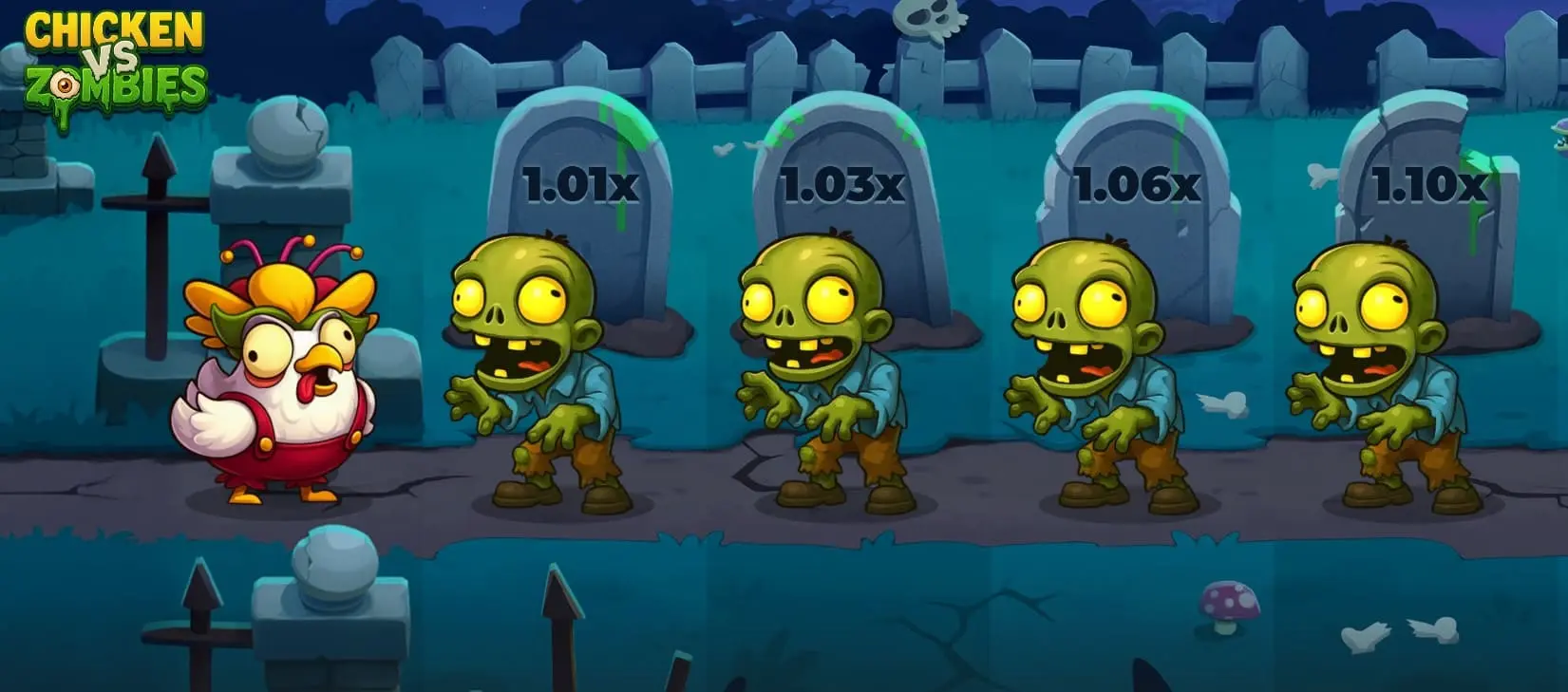
Chicken vs Zombies is a fast-paced arcade-style casino game that blends simple controls with escalating risk mechanics. The concept revolves around a brave chicken moving through zombie-infested paths, where each decision affects potential payouts. This format appeals to players who prefer short rounds, visible risk, and direct control over outcomes rather than complex paylines.
| Characteristic | Value |
| Game type | Single-player |
| RTP | 95.5% |
| Min bet | 0.01 USD |
| Max bet | 200 USD |
| Max win | 20,000 USD |
| Difficulty levels | 4 |
| Release date | 23.10.2025 |
Features of Chicken vs Zombies game
The core mechanics of the game focus on controlled risk, fixed progression, and clear betting limits. Each round is built around step-by-step movement, increasing multipliers, and the option to end the round at any moment. Betting parameters, RTP, and difficulty selection remain visible before the start, which helps players understand potential outcomes before placing a bet.
Progressive Multipliers
With each successful step forward, the multiplier increases by a fixed amount shown directly on the path. The multiplier starts close to 1.00x and grows gradually as the chicken advances through zombie positions. This mechanic links risk directly to progression, since continuing the round always increases potential payout while keeping the loss condition active.
Multiplier growth depends on how many steps remain and the selected difficulty level. Fewer zombies on the path result in faster multiplier growth per step, while longer paths spread the increase across more actions.

Cash Out
The cash out function allows the round to end manually after any successful step. When used, the current multiplier is applied to the initial bet and credited to the balance. This option remains available until a losing step occurs.
Using cash out removes further risk from the round. Once activated, the current result is fixed, and a new round must be started to continue playing.
Difficulty levels
Difficulty selection defines how many zombie positions appear on the path and how many successful steps are required to complete the round. The game includes four preset modes:
- Easy – 30 zombies on the path
- Medium – 25 zombies on the path
- Hard – 22 zombies on the path
- Hardcore – 18 zombies on the path
Lower difficulty modes extend the path and reduce multiplier growth per step. Higher difficulty modes shorten the path, which increases risk concentration and accelerates multiplier progression.
Choosing a difficulty level changes the balance between step count and payout growth. Shorter paths increase volatility, while longer paths allow more decision points before using cash out.
Theme and Atmosphere
The visual theme is built around a cartoon-style graveyard setting with clear separation between the character, the path, and interactive elements. Zombies appear as obstacles rather than animated threats, which keeps focus on gameplay decisions instead of visual effects.
Interface elements such as multipliers, bet size, balance, and difficulty selection remain visible at all times. This layout supports quick decision-making without navigating menus during a round.
Sound design reinforces action feedback without masking game information. Movements, successful steps, and round endings use distinct audio cues to signal changes in game state.
How the game Chicken vs Zombies works
Each round begins with a selected bet amount and chosen difficulty level. The chicken starts at the first position on the path, and the player advances one step at a time. Every safe step increases the multiplier shown above the path markers.
If a zombie position is triggered, the round ends immediately and the bet is lost. For example, with a 2 USD bet at Easy level, reaching a 1.10x multiplier would allow a cash out of 2.20 USD if activated before a losing step.
The game does not include auto-play or automatic cash out. All progression decisions remain manual, which means the outcome depends on how long the player continues before stopping the round. Each new round resets the path and multiplier progression.

How to Play in Chicken vs Zombies slot
The Chicken vs Zombies slot is built around a step-based decision system where each action affects the final payout. Before starting, the player selects a bet size and a difficulty level, which defines the number of zombie positions on the path. The round progresses only when the player actively chooses to move forward.
Steps to play:
- Select the bet amount within the allowed limits
- Choose one of the available difficulty levels
- Start the round and make the first move
- Advance step by step along the path
- Use cash out at any safe step to end the round
The Chicken vs Zombies game continues until the player either activates cash out or triggers a zombie position. Each successful move increases the multiplier shown on the path, while a losing step ends the round with no payout. All decisions remain manual, which keeps control fully in the player’s hands.
Strategies for playing Chicken vs Zombies
A structured approach helps manage risk and avoid impulsive decisions during play. The Chicken vs Zombies casino format rewards consistency rather than long streaks, since each round resets conditions and outcomes.
Common strategies:
- Early cash out – focus on small multipliers to limit losses
- Fixed target multiplier – decide on an exit point before starting
- Low difficulty sessions – use longer paths for more decision points
- Stake control – keep the same bet size across multiple rounds
- Session limits – stop play after reaching a predefined result
Applying these strategies within Chicken vs Zombies helps reduce variance over time. Discipline during loss streaks matters more than chasing higher multipliers, since every round carries the same loss condition regardless of previous results.
Chicken vs Zombies demo
The Chicken vs Zombies demo version allows full access to the core mechanics without using real money. All difficulty levels, multiplier behavior, and cash out rules remain identical to the paid version, which makes demo play suitable for learning game flow.
Testing the demo helps players understand how multiplier growth changes across difficulty modes. The demo version can be played directly on our website, making it possible to explore the game structure and timing without registration or deposits.
Chicken vs Zombies app
The Chicken vs Zombies app provides access to the game on mobile devices through supported casino platforms. Installation usually follows the standard app download process offered by the casino, either through an official app store or the casino website.
Mobile play supports the same features as the desktop version, including manual movement, cash out control, and difficulty selection. Touch-based input allows quick step selection, which fits short play sessions and maintains full functionality without reduced game options.
Where to Play in Chicken Zombies
Choosing a reliable platform affects payment safety, game availability, and access to demo mode. When selecting a casino for Chicken Zombies, players should focus on licensing, clear bonus terms, and supported payment methods.




A suitable platform for Chicken vs Zombies casino play should also provide transparent rules, clear bet limits, and access to demo mode before real-money sessions.
FAQ
Is Chicken vs Zombies a slot or an arcade game?
The Chicken vs Zombies slot label is informal. The game functions as an arcade-style risk game rather than a traditional reel slot.
Can I play Chicken vs Zombies for free?
Yes, the Chicken vs Zombies demo mode allows free play with virtual balance.
Does Chicken vs Zombies require strategy?
Basic understanding helps, but results still depend on risk tolerance and timing.
Is Chicken vs Zombies available on mobile?
Yes, the game runs smoothly through browser versions and dedicated apps.
Are winnings fixed or variable?
Winnings depend on the multiplier reached before cash out.